Symfony with Composer, a public/ web root and a deploy script you can read.
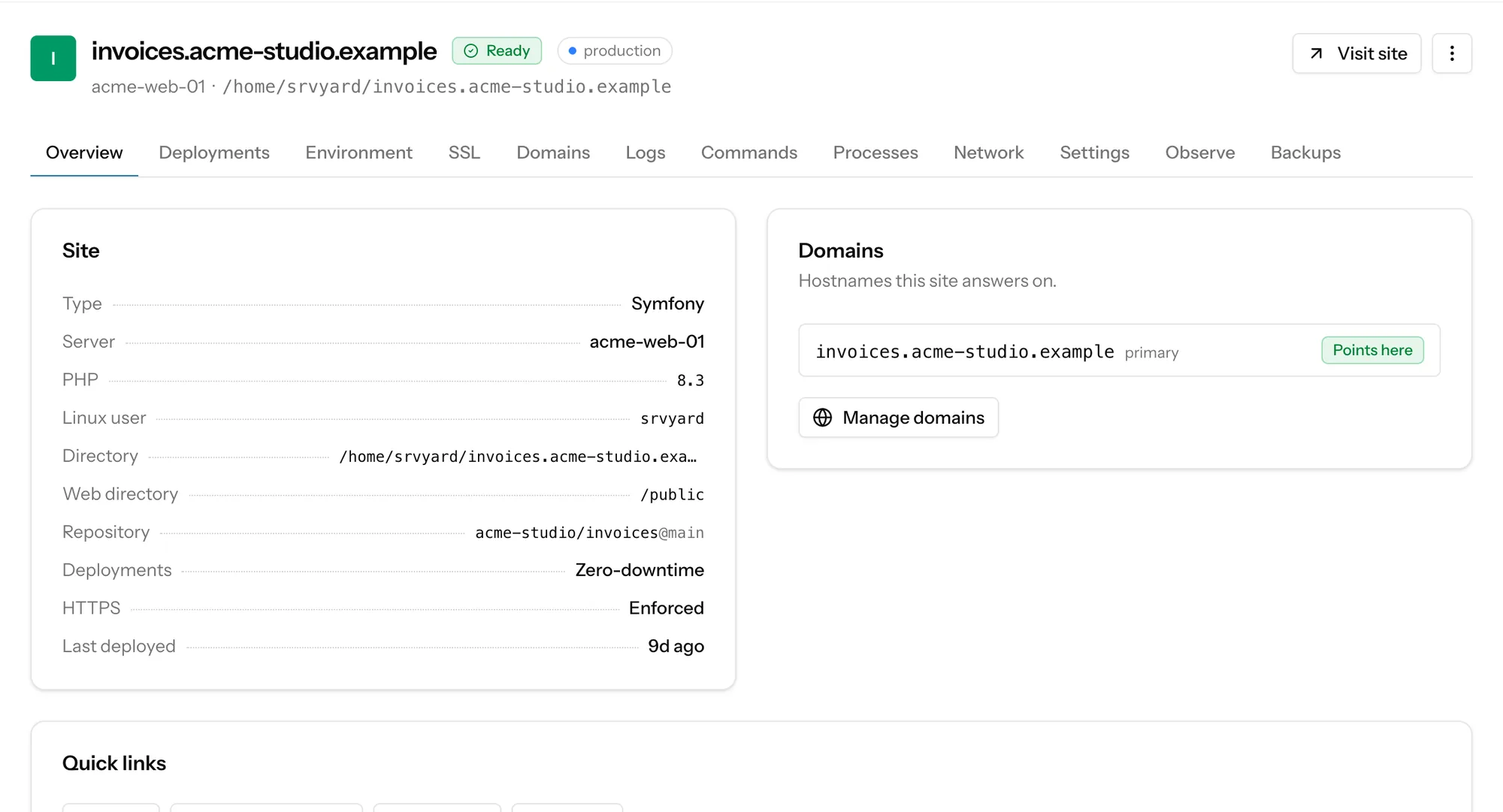
A Symfony site gets the same release folders as a Laravel one, Nginx sending every request that matches no file to index.php, a shared .env and var/log, and a default script that clears and warms the production cache. What SrvYard does not know about Symfony, you add to that script.
# runs inside the new release folder
export APP_ENV=prod
composer install --no-interaction --prefer-dist \
  --optimize-autoloader --no-dev
# front-end install and build, when package.json exists
php bin/console cache:clear --env=prod --no-debug
# only when doctrine:migrations:migrate exists
php bin/console doctrine:migrations:migrate \
  --no-interaction --allow-no-migration --env=prod
php bin/console cache:warmup --env=prod --no-debug
srvyard_reload_php01What a Symfony site gets
Symfony site type| Piece | What SrvYard does |
|---|---|
| Web root | /public. Requests that match no file go to /index.php, the front controller. |
| Releases | Each deploy builds in releases/<deployment id> and current is switched when the script succeeds. .env and var/log are shared between releases; var/cache is per release, so the cache is warmed before the switch. After the switch PHP-FPM is reloaded so the opcode cache follows the new path. |
| Environment | The first .env is built from the project’s example file (.env.dist for Symfony) with APP_ENV=prod, a random APP_SECRET, DEFAULT_URI and, if you connect a database, one DATABASE_URL line for MySQL, MariaDB or PostgreSQL. You edit it afterwards in the Environment tab. |
| Migrations | Doctrine migrations run on every deploy when doctrine:migrations:migrate is present, with --allow-no-migration. |
| PHP | PHP 8.1 to 8.5 side by side; each site picks one. Composer credentials for private packages are kept per site and written to auth.json. |
| Front-end build | npm by default, or pnpm, Yarn or Bun. The default script runs install and build only when package.json exists. A Webpack Encore project with a build script in package.json needs nothing more; AssetMapper needs php bin/console asset-map:compile added to the script, because SrvYard does not look for it. |
02Workers and scheduled commands
no Symfony panel, so you wire themThe Laravel card (scheduler, queue workers, Horizon) is only offered on Laravel-based sites. For a Symfony app you use the two general tools every site has:
- Background processes on the site’s Processes tab: any command that stays in the foreground, kept alive by Supervisor as the site user, with the site’s PHP first on the path. A Messenger consumer is
php bin/console messenger:consume ...typed in the Custom tab. - Scheduled jobs on the server’s Scheduler tab: cron with the output of each run kept, and an alert if a run is missed.
A process started from current keeps running the release it started with. After a deploy press Restart on it. SrvYard restarts Laravel queue workers and Next.js or Nuxt.js processes for you, not custom processes.
03From repository to live site
about ten minutesConnect the repository
GitHub, GitLab or Bitbucket by OAuth or token, with owner, repository and branch pickers. Or any Git URL.
Create the site
Type Symfony, a domain or a free
srvy.shaddress, PHP version, an optional database, zero downtime on or off. Zero downtime, isolation and the root directory cannot be changed later.Test the script
Deploy now and read the log. The first failure is almost always in the script or the environment, not in SrvYard.
Turn on push to deploy
Once the first deploy works. Add a health-check path if you have one.
04Not covered
so you can rule it out early- Docker, Docker Compose and the Symfony CLI’s Docker integration: SrvYard does not deploy or manage containers.
- Rolling back database migrations. A rollback repoints the release folder only.
- Detecting Messenger, Scheduler or AssetMapper. They work, but you create their processes and script lines yourself.
A Symfony app that already runs on a server SrvYard can reach can be adopted where it is instead of rebuilt. Adopt a site that is already on your server.
Need a hand deciding? Describe your app.
05Read more
06Symfony questions
answers from the docsWhat does the default Symfony deploy script do?
It sets APP_ENV=prod, runs composer install --no-dev --optimize-autoloader, your front-end build when there is a package.json, cache:clear, Doctrine migrations when the command exists, cache:warmup, and then reloads PHP-FPM. You can edit it freely. See Write and test a deploy script.
Which files are shared between releases?
.env and var/log. var/cache is per release and is warmed before the switch. Add other paths under Shared paths in the deployment settings. See Deploy hooks, health checks and release retention.
How do I run Messenger consumers?
Add a custom background process on the site's Processes tab with the command, for example php bin/console messenger:consume .... Supervisor keeps it running as the site user with the site's PHP. SrvYard does not detect Messenger or create the process for you, and a process keeps running the release it started with, so restart it after a deploy. See Run background processes for a site.
Does SrvYard set DATABASE_URL?
Yes, when you connect a database to the site: one DATABASE_URL line for MySQL, MariaDB or PostgreSQL, written to the shared .env. See Connect from your app.
Can I deploy Symfony with Docker?
No. SrvYard does not deploy or manage Docker, Docker Compose or Kubernetes. Sites run directly on the server with Nginx and PHP-FPM. See What SrvYard supports.
Deploy a Symfony app to a server you control.
Free: 1 server, 3 sites, 100 deploys a month. Read the docs first if you prefer.