HTML, CSS and JavaScript served straight by Nginx, built on deploy if you need a build.
The Static HTML site type has no PHP and no process. Nginx serves a folder. Point it at the root of a repository, or at the output folder of a build such as /dist, and SrvYard clones the branch, runs the install and build you chose in a new release, and switches to it.
root directory   /          # where package.json is
web directory    /dist      # what Nginx serves
package manager  npm | pnpm | yarn | bun | none
build command    npm run build
# runs only if package.json exists, in the new release,
# before current is switched01What a static site gets
Static HTML site type| Piece | What SrvYard does |
|---|---|
| Serving | An Nginx server block for the domain. A request for a file or folder that exists is answered; anything else is a 404. |
| Web directory | The folder Nginx serves, relative to the root directory. It defaults to /; set it to /dist or whatever your build writes. |
| Build | None by default: the repository is served as it is. Choose npm, pnpm, Yarn or Bun and the script runs the strict install and the build command inside the new release. It needs Node on the server, installed from the Runtimes tab. |
| Releases | Zero-downtime releases are optional and chosen at creation: a folder per deploy, an atomic switch, a health check, one-step rollback and retention of 1 to 50 releases. In place updates the live folder and has no rollback. |
| Deploy triggers | Push to deploy for GitHub, GitLab and Bitbucket, a deploy hook URL for anything else, the API, or the button. |
| Domain and HTTPS | A free srvy.sh name or your own domain, Let’s Encrypt certificates that renew themselves, DNS-01 for wildcards, custom certificates and a force-HTTPS switch. |
| Redirects and passwords | The Network tab holds redirect rules, including an import from CSV, and HTTP basic auth, all written into the site’s Nginx configuration and tested with nginx -t before they apply. |
| Logs | The Nginx access and error logs. |
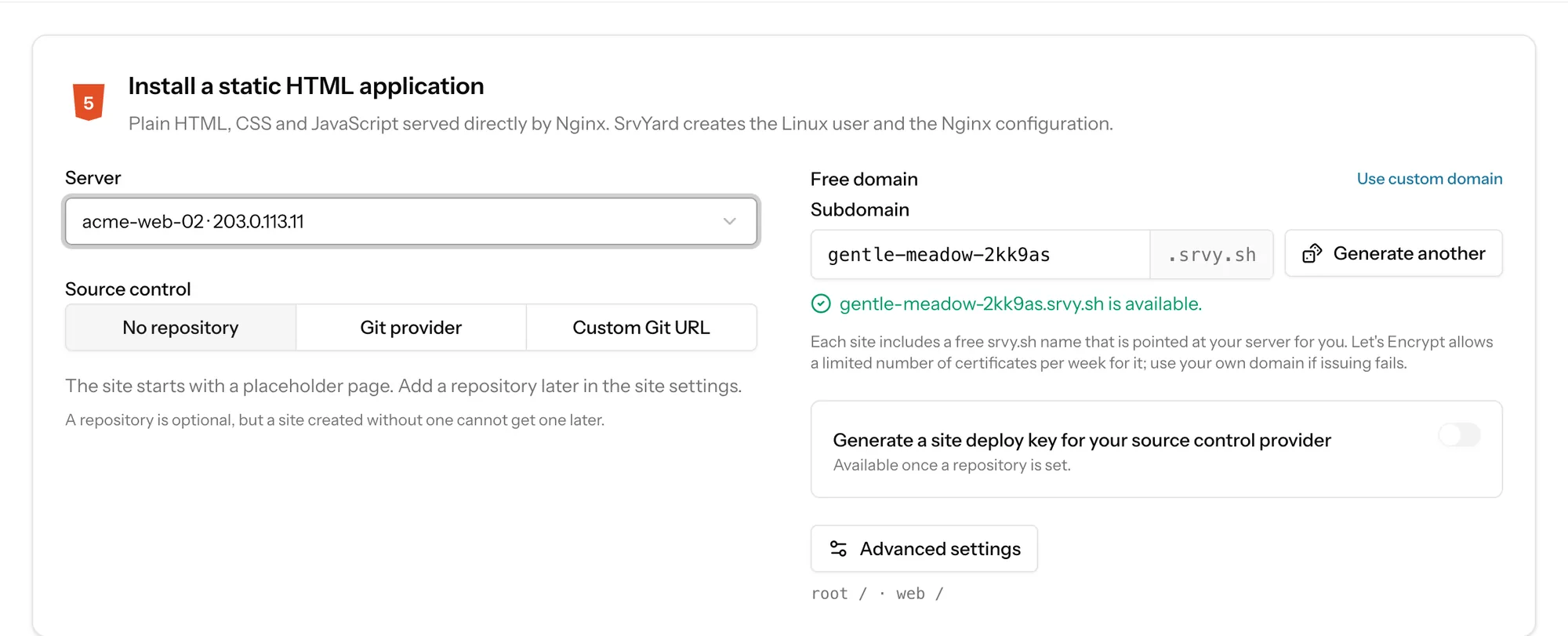
02Create one
the New site formConnect the repository
GitHub, GitLab or Bitbucket, or any Git URL. A site made with no repository starts as a placeholder page and cannot get one later.
Create the site
Type Static HTML, a server that runs Nginx, a domain. Set the web directory under Advanced settings if your build writes somewhere else.
Choose the build
Under the site’s npm settings pick a package manager and a build command, or leave it at none.
Deploy and read the log
Deploy now once, read the log, then turn on push to deploy.
03A finished static site
the overview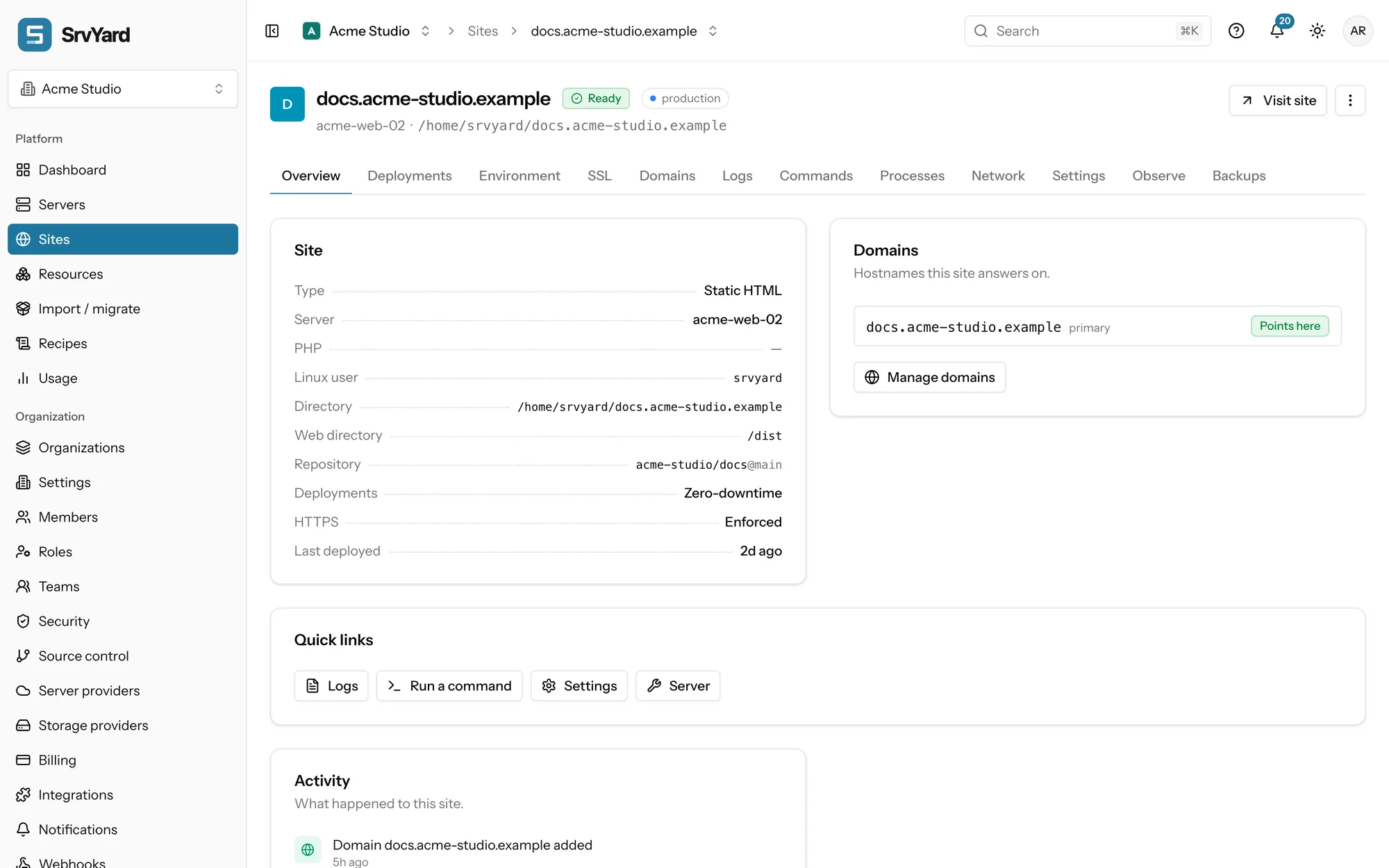
Single-page apps
The generated configuration answers 404 for a path that is not a file or folder. An app that handles routes in the browser and needs index.html for them needs a different location block. Write one as an Nginx template for the server and pick it for the site; SrvYard checks it with Nginx before it applies it. Customise Nginx with templates
Build memory
A build that is killed with exit code 137 ran out of memory on the server. Add swap, build somewhere else and deploy the output, or use a bigger server.
04Not covered
so you can rule it out early- A CDN, image resizing, forms handling or serverless functions. The files are served from your own server.
- Static site generators as a site type. One that builds through your package manager (Astro, Eleventy, Vite) is a build command and a web directory; SrvYard does not install generators that need their own binary, such as Hugo or Jekyll.
- Server-side rendering. A Next.js or Nuxt.js app that renders on the server is a Node site; its static mode serves an export the same way.
The site runs on an Ubuntu server with Nginx that you pay your own provider for. A server can hold many static sites next to PHP and Node ones; they only share its disk, memory and Nginx.
Need a hand deciding? Describe your site.
05Read more
06Static site questions
answers from the docsCan a static site have a build step?
Yes. Choose npm, pnpm, Yarn or Bun and a build command in the site's settings, set the web directory to the folder the build writes, and the build runs in the new release before it goes live. Node must be installed on the server. See Build front-end assets with Vite, npm, pnpm, Yarn or Bun.
What happens to a path that does not exist?
Nginx answers 404. A single-page app that needs index.html for its routes needs a custom Nginx template with its own location block. See Customise Nginx with templates.
Can I roll back a static site?
Yes, if it deploys with zero downtime, which you choose when you create it. A site that deploys in place has no releases and no rollback. See Deploy without downtime and roll back to an earlier release.
Can I put a password or redirects in front of it?
Yes. The site's Network tab has redirect rules and HTTP basic auth, written into the Nginx configuration and tested before they apply. See Add redirects and password protection.
Do I need a domain to try it?
No. Every site can go online on a free srvy.sh address. Let's Encrypt allows only a limited number of certificates per week for that shared zone, so use your own domain for anything you launch. See Create a site on your server.
Put a static site on a server you control.
Free: 1 server, 3 sites, 100 deploys a month. Read the docs first if you prefer.