Roles say what a person may do. Teams say which servers and sites they see.
Every member has one role. Five come built in on every plan. On Business you can write roles of your own from the permission list and group people into teams that share whole servers or single sites. Owners and admins always see everything.
# of the 102 permissions in the list
owner       102   # one per organisation
admin        98   # not Owner roles, billing, deleting the org
manager      84   # servers and people, not billing
developer    67   # servers and sites, no new servers
viewer 22 # read only, secrets included01The five built-in roles
every plan| Role | Can | Cannot |
|---|---|---|
| Owner | Everything, including billing, deleting the organisation and signing in as another member. One owner per organisation; the role cannot be changed on the Members page and the owner cannot be banned or removed. | Nothing is withheld. |
| Admin | Everything in the organisation except what stays with the owner. | Delete the organisation, manage billing, impersonate a member, export secrets, manage or assign Owner roles. |
| Manager | Manage servers and the team: invite and manage members and teams. | Billing and organisation settings, integrations, storage providers, organisation-wide SSH keys, webhooks, migrations, export and import. |
| Developer | Full access to servers and sites: deploy, edit environment variables, manage daemons and scheduled jobs, run recipes. | Create, delete, archive, transfer or reboot servers; view server credentials; manage members, teams or notification channels; see webhooks. |
| Viewer | See every server, site and sensitive value without changing anything. | Change anything. |
The role of a member changes on their very next request: nobody has to sign in again. Invitations carry the role they were sent with. An admin cannot hand out Owner.
02Roles of your own
Business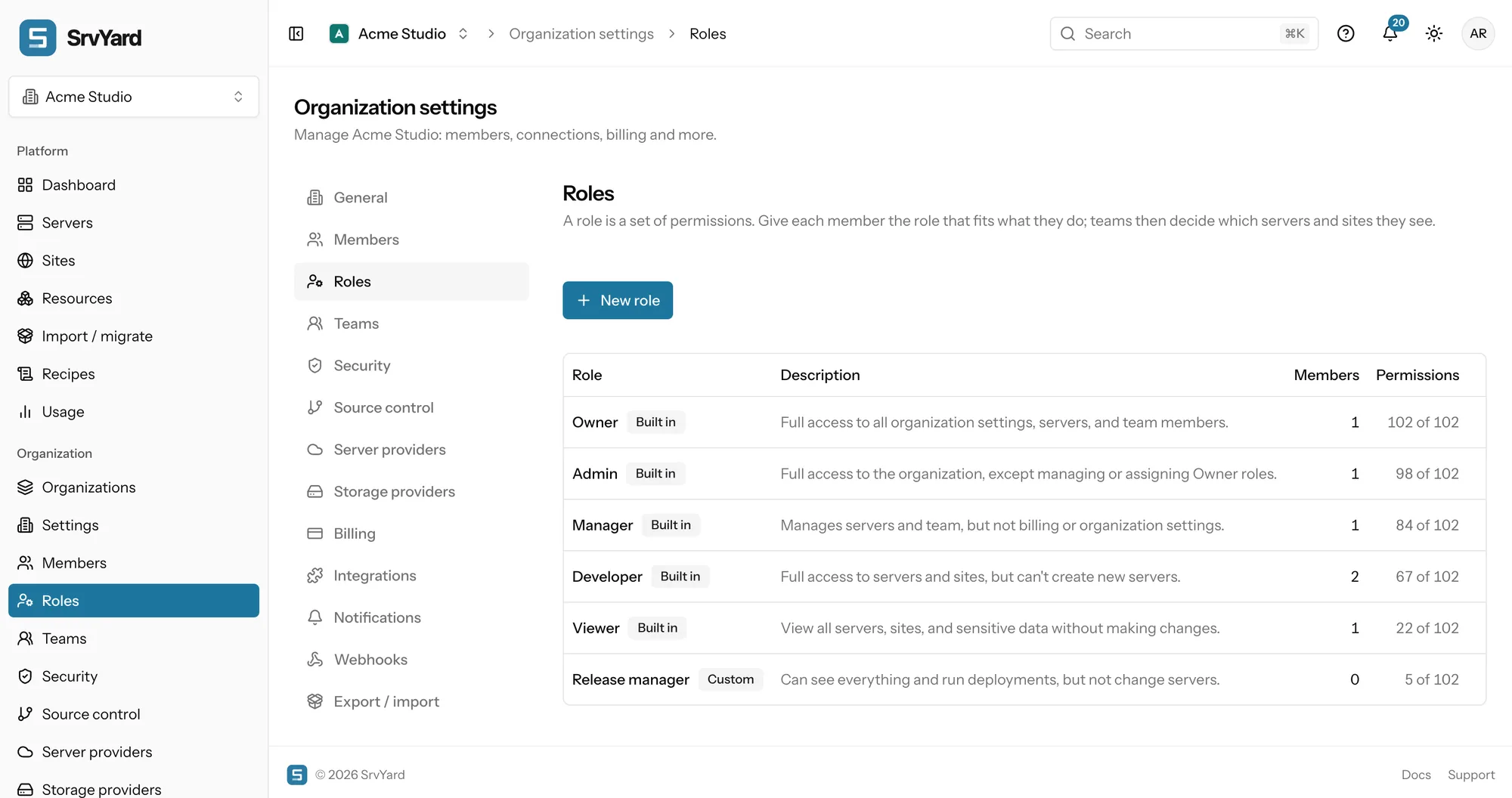
A permission is written area:action, for example sites:manage-deploys. The list is grouped by the areas of the product: servers, sites, backups, monitoring, notifications, webhooks, billing, members, roles, teams, the API and others.
- Start from nothing, or clone a built-in role and untick what the job does not need.
- A name is unique in the organisation and cannot be a built-in name.
- You can only grant permissions you hold yourself; SrvYard refuses and names the one you lack.
- Deleting a role asks which role its members and pending invitations move to, so nobody is left without one.
- The permission names are also the scopes of an API token, so the same vocabulary limits scripts. API tokens
Built-in roles cannot be edited. Two permissions to hand out sparingly: servers:view-credentials (sudo and database administrator passwords) and sites:manage-environment (the .env file).
03Teams decide what a member sees
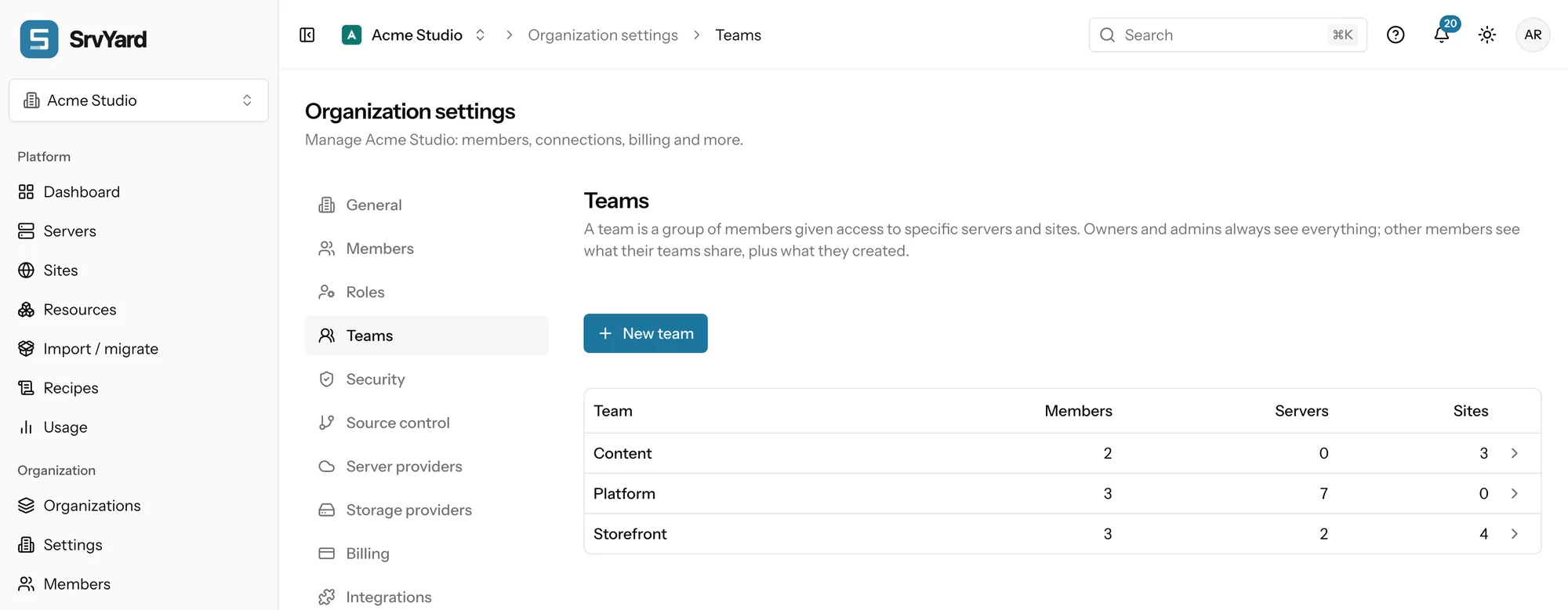
BusinessA team is a group of members. You share servers and single sites with it. A server brings every site on it, including sites added later. A site can be shared without its server, which suits a client who should see their own site and not the machine it shares with others.
How SrvYard decides
- Owners and admins see everything.
- A member in at least one team sees what those teams share, plus what they created themselves.
- A member in no team sees everything only if their role holds
resources:access-all. Viewer does; the other built-in roles do not. - Anything hidden answers “not found”, in lists, search and direct links. The API behaves the same.
- Background work such as deployments and backups runs for the organisation, not for a person.
Teams narrow; they never widen. A role that cannot reboot servers cannot reboot one just because the server is shared with its team. Adding a Viewer to a team makes that person see less, not more. And a member keeps access to what they created, even if the share is removed later.
04Inviting, changing, removing
Settings, Members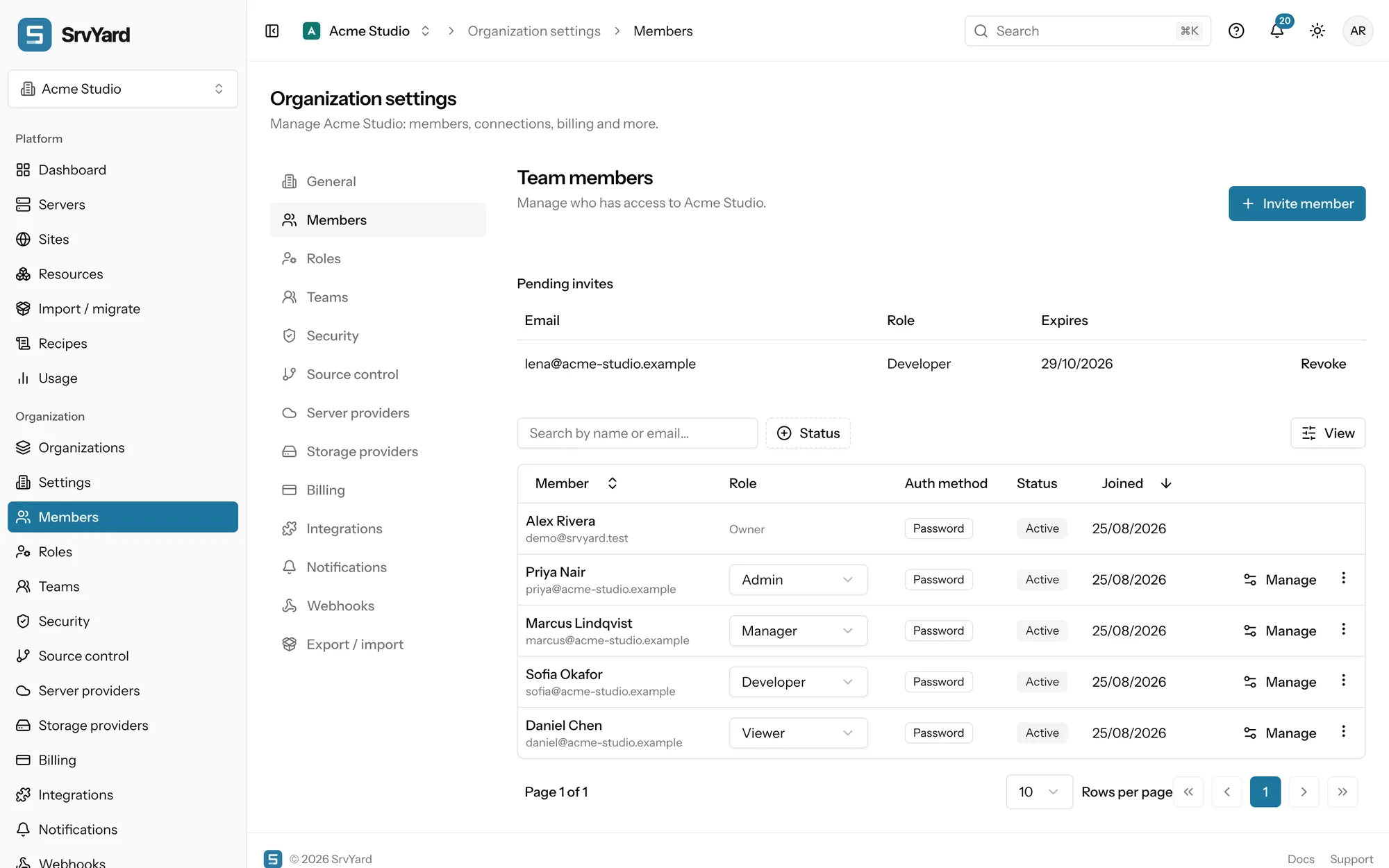
- Invite
- An email address, a role and, if the organisation has teams, the teams to join. Valid for seven days; inviting the same address again replaces the first invitation.
- Accept
- One click when signed in with the invited address. Someone without an account creates one with that address first.
- Ban
- Access stops at once, the member stays in the list as Suspended and can be unbanned. Use it first when someone leaves.
- Remove
- Takes the person out of the organisation. Bringing them back means a new invitation.
- Two-factor
- An organisation can require it; members without it can only open their security settings until they turn it on.
Neither the owner nor yourself can be banned or removed. Impersonating a member needs members:impersonate, which only the owner role holds.
05What is recorded
activity, 14 daysEach server and site has an Activity tab: deployments, certificates, domains, daemons, scheduled jobs, SSH keys, firewall changes, backups, heartbeats. Every row says what happened, who did it (a member, or SrvYard for what the system did itself) and when. Changes made through an API token are written with the actor token:<name>, without the request body. The feed keeps 14 days; for longer, read it through the API (scope activity:view) and store it yourself. A member only sees the events of servers and sites they can see.
The activity log, in the docs · Least privilege and auditing
06Plans and limits
from the plan catalogueThe built-in roles, the Members page, invitations, bans and the activity feed work on every plan. Teams and custom roles are a Business feature; on other plans the Teams page says so. Members per organisation: Hobby 3, Pro 10, Business unlimited. Organisations you can own: Hobby 1, Pro 3, Business 10. Compare plans.
One role per member per organisation, and a role applies to the whole organisation: there is no role that differs per server. Use a team to limit where it applies.
07Read more
08Roles and teams questions
answers from the docsWhich plan do I need for roles and teams?
The five built-in roles, invitations and the Members page work on every plan. Teams and custom roles are part of the Business plan. See Compare plans and know your limits.
What is the difference between a role and a team?
A role says what a member may do, such as deploy or edit environment variables. A team says which servers and sites they see. A member needs both: the permission and a team that includes the site. See Limit members to certain servers and sites with teams.
Can I give someone a role that only deploys?
Yes, on Business: create a custom role from the permission list, for example sites:view and sites:manage-deploys plus servers:view, and give it to them. You can only grant permissions you hold yourself. See Choose and create roles for your team.
A member sees no servers at all. Why?
Their role does not include resources:access-all and they are in no team that shares a server, so they see only what they created. Add them to a team that shares what they need. Owners and admins always see everything. See Limit members to certain servers and sites with teams.
Does changing a role need the person to sign in again?
No. A role change applies on their very next request. See Invite team members and manage who has access.
How long does the activity feed keep history?
Fourteen days. Older events are removed every day, so copy what you need to keep through the API. See Find out what happened with the activity log.
Invite one person with one role and see what they see.
Free: 1 server, 3 sites, 100 deploys a month. Read the docs first if you prefer.