A working address on srvy.sh before you own a domain.
Each site can start on a name such as acme-launch.srvy.sh that SrvYard points at your server for you. There is no DNS to edit, and a Let’s Encrypt certificate is requested by itself as soon as the name resolves. Add your own domain whenever it is ready.
name         acme-launch.srvy.sh   # suggested, or type your own
DNS          A record to your server, created by SrvYard
proxy        none: Nginx on your server ends TLS
certificate  requested when the name resolves
www, wildcard off: the name is a single host01From the form to HTTPS
New site, Free domain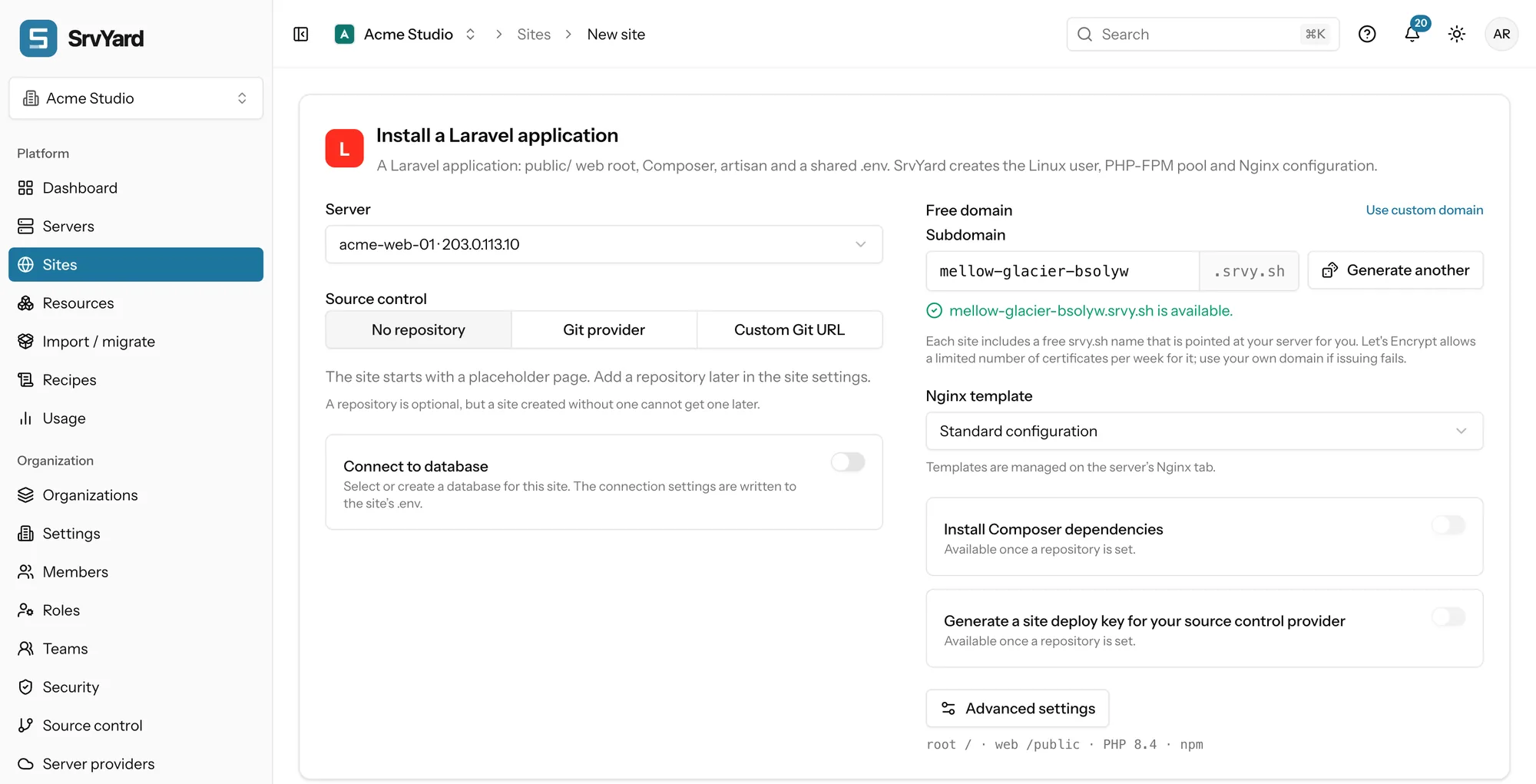
- Pick a name. One is suggested as adjective, noun and a short suffix. Type your own or press Generate another. SrvYard checks it while you type, against names already claimed in SrvYard and against the DNS zone.
- SrvYard creates the record. An
Arecord in the srvy.sh zone points the name at your server. It is not proxied, so Nginx on your server ends TLS and Let’s Encrypt can reach it directly. - The certificate asks for itself. When the site is ready, SrvYard waits for the name to resolve to your server, checking again at growing intervals for up to about ten minutes, then requests the certificate over HTTP validation. A name that never resolves gives an activity event and one notification.
The automatic request never touches Force HTTPS or your own domains, and can be switched off per site on the SSL tab.
02What a name may be
checked by the form| Rule | Detail |
|---|---|
| Length and characters | 3 to 40 lowercase letters, digits and hyphens, starting and ending with a letter or a digit. |
| Hyphens | Not doubled. |
| Reserved | Names such as www, mail, api, admin, docs, status and login cannot be claimed, and SrvYard can reserve more. |
| Unique | A name belongs to one site at a time, across all organisations. Anyone can claim it again once it is released. |
| Shape | A single host. A free name has no www redirect and no wildcard. |
03Changing it, or moving to your own domain
the Domains tabChange subdomain
The row menu of a free name offers Change subdomain. The old name is released. If the site has a certificate it still covers only the old name, so visitors of the new one see a certificate warning until a new certificate is issued; the dialog says so. SrvYard requests it for you.
Add your own domain
Add the domain, make it primary, and either keep the free name as an alias or remove it. Create the A record at your own DNS host, then reissue the certificate so it covers the new name. When a site is deleted its free name goes back to the pool and the record is removed. Domains and DNS records, in the docs
04Limits, plainly
read before you share the link- You do not own the name. It lives in a zone SrvYard operates, so it suits staging, previews and a first deploy rather than a brand.
- Let’s Encrypt allows a limited number of certificates per week for one registered domain, and a shared zone such as srvy.sh reaches that limit sooner. If issuing fails for that reason, wait or use your own domain.
- No wildcard certificate for a free name: wildcards need DNS validation on a zone you control.
Free subdomains are not a plan feature. The only plan limit that applies is the number of sites.
05Subdomain questions
answers from the docsWhat is a free subdomain?
A name such as acme-launch.srvy.sh that SrvYard points at your server by creating the DNS record for you, so a new site works before you own a domain or touch DNS. See Add a domain, a free subdomain and DNS records.
Do free subdomains get HTTPS?
Yes, by themselves. SrvYard waits until the name resolves to your server, for up to about ten minutes, then asks Let's Encrypt for a certificate. It can be switched off per site on the SSL tab. See Get a free Let's Encrypt certificate.
Why did the certificate for my free name fail?
Let's Encrypt allows only a limited number of certificates per week for one registered domain, and the shared srvy.sh zone reaches that limit sooner than your own domain. Wait, or use your own domain. See How renewals work and what to do when one fails.
Can a free name have `www` or a wildcard?
No. It is a single host: no www redirect and no wildcard. For wildcards use your own domain with DNS validation. See Wildcard certificates with DNS validation.
Can I rename it, and what happens to the name when I delete the site?
Use Change subdomain on the domain row. Visitors of the new name see a certificate warning until a new certificate is issued. When a site is deleted its free name goes back to the pool and its DNS record is removed, so anyone can claim it. See Add a domain, a free subdomain and DNS records.
Create a site on a free name and open it in a minute.
Free: 1 server, 3 sites, 100 deploys a month. Read the docs first if you prefer.