Free certificates, renewed before they expire, and one switch for HTTPS only.
SrvYard gets Let’s Encrypt certificates over HTTP validation, or over DNS validation through Cloudflare for wildcards, installs them in Nginx and renews them. You can also install a certificate you bought. Keys are stored encrypted in SrvYard and are readable by root only on the server.
03:30  renew Let’s Encrypt certificates in use with
       30 days or less left
08:00  email owners and admins: 14 days or less
       left, expired, or a renewal that failed
every minute
       retry a failed request that is due
# 3 attempts, 30 minutes apart01Get a certificate
the SSL tab, HTTP validation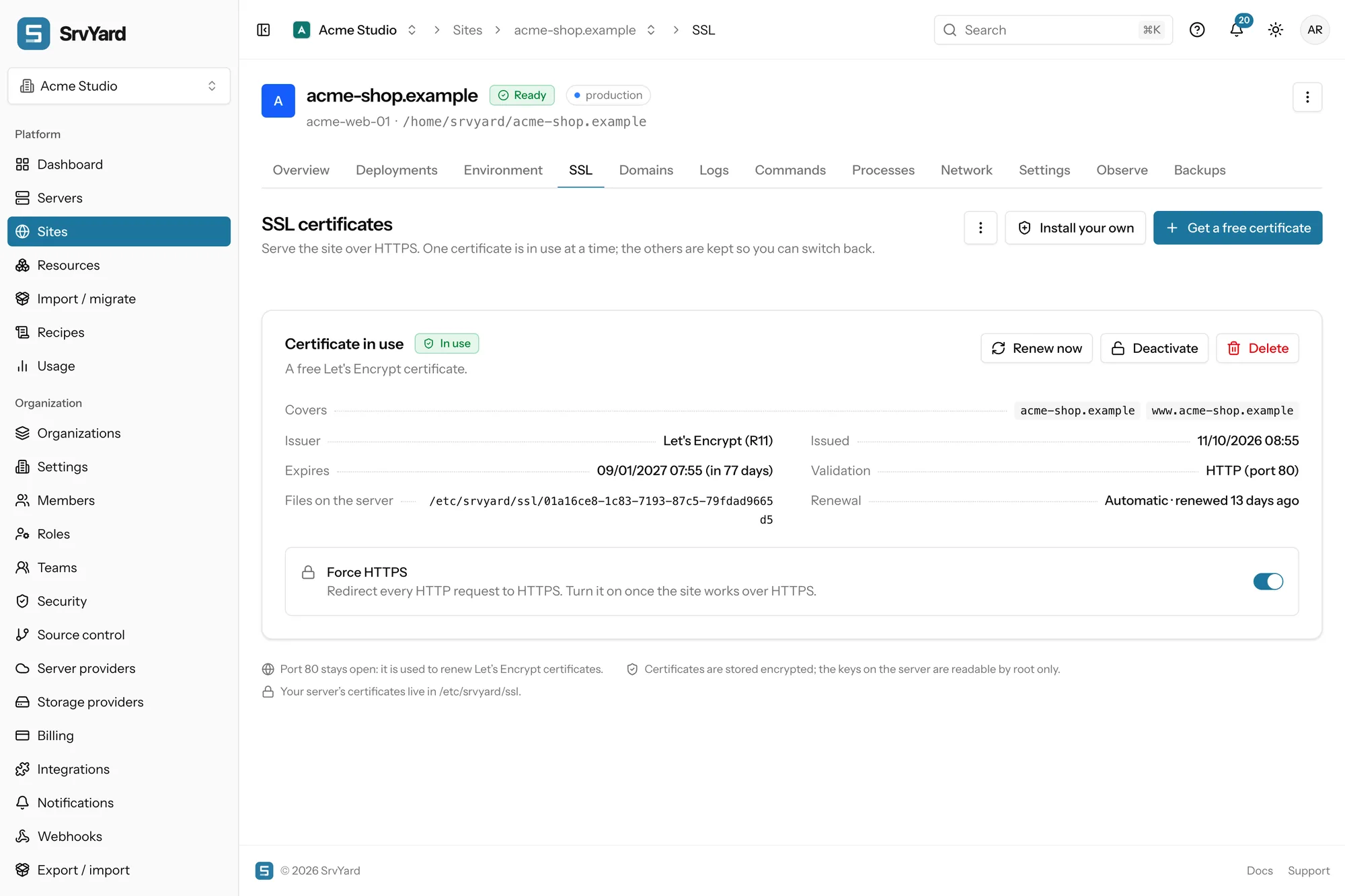
- Every name must point at the server. SrvYard checks the DNS records first and lists any name that does not, with what it found. A stray
AAAArecord elsewhere is the usual culprit. - Port 80 must be open, in the server firewall and at your provider. Let’s Encrypt fetches a small file over plain HTTP, and renewals use it too.
- Choose names and key type. Every domain of the site is ticked by default. ECDSA (secp384r1) is the default; RSA 2048 exists for very old clients.
- Watch the output. A request takes under a minute. The new certificate replaces the one in use only when it was issued and Nginx accepted it, so a failure leaves the site as it was.
A site on a free srvy.sh name asks for its certificate by itself. Get a free certificate, in the docs
02Wildcards and DNS validation
Cloudflare only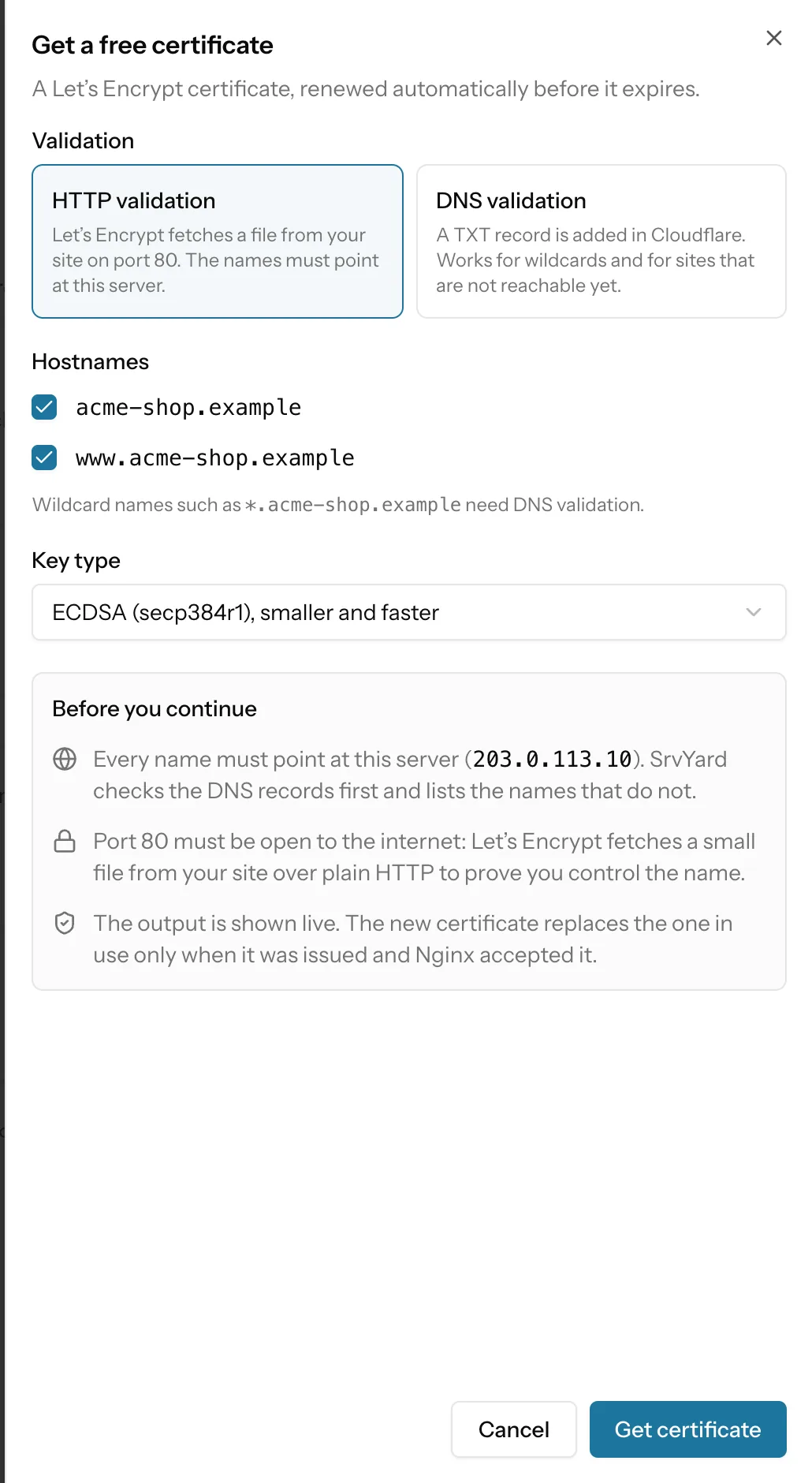
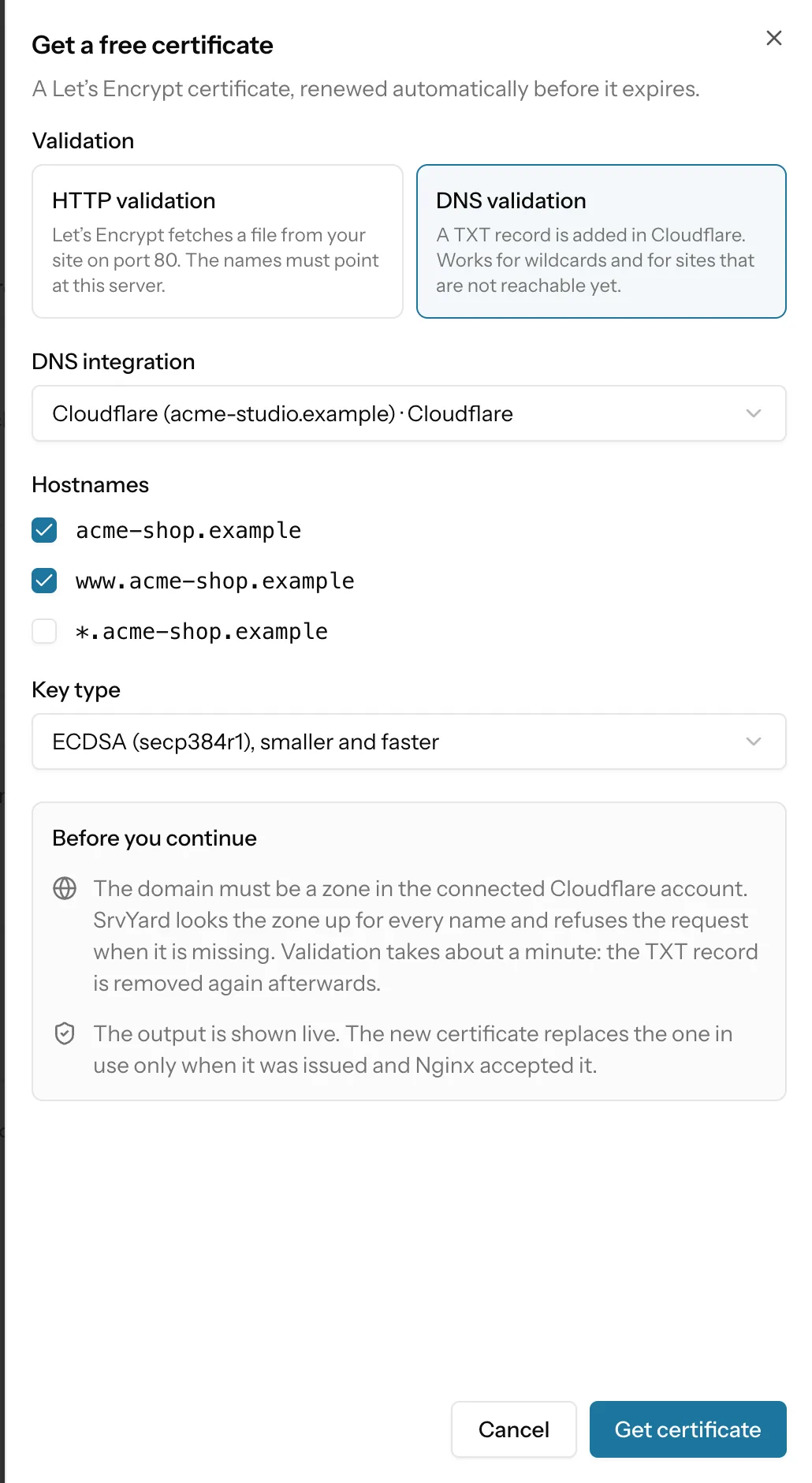
- DNS validation is the only way to a wildcard such as
*.acme-shop.example. It also works for a site that is not reachable yet or cannot open port 80. - Cloudflare is the only DNS provider SrvYard can use for it. Connect it once for the organisation with an API token that has Zone / DNS / Edit and Zone / Zone / Read, ideally limited to the zones you need. The token is checked before it is saved, stored encrypted and never shown again.
- SrvYard adds a TXT record, Let’s Encrypt checks it, and the record is removed. About a minute.
- A wildcard covers one level of subdomains and not the bare domain, so tick both names.
- If you later delete the token or the connection, the certificate keeps working until it expires but cannot renew. SrvYard says so and asks you to connect again.
03A certificate you bought
Install your own| Route | How it works |
|---|---|
| Paste certificate and key | Your certificate first, then intermediates; the private key without a passphrase. SrvYard checks with OpenSSL that the key matches, that the certificate is valid now and covers a hostname of the site, and refuses a chain longer than 10. Nginx is reloaded, and if it rejects the files the old setup comes back. |
| Create a signing request | SrvYard generates the key and keeps it encrypted; only the request leaves. Choose the names (a wildcard can be included here), ECDSA or RSA, and the subject fields. Install the signed certificate on the same row when it arrives. |
| Copy from another site | Reuse a certificate already installed for another site on the same server. The copy is its own certificate. |
| Renewal | Never automatic. The row says Manual, and owners and admins get an email before it expires. Replace it the same way you installed it. |
04Renewal, retries and alerts
what happens when it does not workA Let’s Encrypt certificate lasts 90 days. Renewal opens 30 days before expiry, so a failure leaves about a month of daily retries before the alerts start at 14 days. If a renewal of the certificate in use fails, nothing is taken away: the old one keeps being served and the card turns red with the reason.
A new request that fails is tried three times, 30 minutes apart, then marked Failed and reported once. Errors that waiting cannot fix (a refused contact email, a name Let’s Encrypt will not issue for, a wildcard without DNS validation) are not retried. Retry now runs it again after you fixed the cause.
Expiry and failure emails go to owners and admins. Add a Slack, Discord, Telegram or email channel to send Certificate expiring and Certificate failed where your team reads them; Certificate issued and Certificate renewed are there for the happy path.
05Force HTTPS
the switch under the certificate| Part | What changes |
|---|---|
| Port 80 | Every request except the Let’s Encrypt validation path gets a 301 to the same address over HTTPS. Port 80 stays open for renewals. |
| Port 443 | Every response carries Strict-Transport-Security: max-age=31536000 (one year), with no includeSubDomains and no preload. |
| Needs | An active certificate. Without one SrvYard refuses the switch. |
| Careful | Browsers remember HSTS for the whole period. If the certificate later breaks, visitors who saw the header get an error they cannot click past, even after you switch Force HTTPS off. Turn it on once the site works over HTTPS. |
06Plans and limits
every planCertificates are on every plan, and so is renewal. They belong to one site on one server; use a separate request on another server. One certificate is in use at a time and the others are kept so you can switch back. Compare plans
Limits to know
- Certificate authorities other than Let’s Encrypt as an automatic source. Anything else is installed by hand.
- DNS validation at providers other than Cloudflare.
- Let’s Encrypt rate limits: a shared zone such as srvy.sh reaches them sooner than your own domain.
- Automatic renewal of a custom or copied certificate.
07Certificate questions
answers from the docsAre certificates free, and do they renew by themselves?
Yes. Let's Encrypt certificates last 90 days and SrvYard renews them when 30 days or less are left, emailing owners and admins if a renewal does not go through. See Get a free Let's Encrypt certificate and How renewals work.
Why must port 80 stay open?
Let's Encrypt proves you control a name by fetching a file over plain HTTP, and renewals use the same path, even when Force HTTPS is on. Open it in the server firewall and at your provider. See Open and close ports with the firewall.
How do I get a wildcard certificate?
With DNS validation. Connect Cloudflare once (the only DNS provider SrvYard can use for this) and choose DNS validation when you request the certificate. A wildcard covers one level of subdomains and not the bare domain, so tick both. See Wildcard certificates with DNS validation.
Does SrvYard renew a certificate I bought?
No. A custom or copied certificate is never renewed automatically. SrvYard emails owners and admins before it expires and you install the new one the same way. See Install a custom certificate.
Does the site go down if a renewal fails?
No. The old certificate keeps being served, the card turns red with the reason and the renewal is retried daily until it works or the certificate expires. Alerts start when 14 days or less are left. See How renewals work.
What does Force HTTPS do, and what is the risk?
It redirects HTTP to HTTPS with a 301 and sends an HSTS header for one year. Browsers remember HSTS, so if the certificate breaks later, visitors see an error they cannot click past. Turn it on once the site works over HTTPS. See Force HTTPS and HSTS.
Issue a certificate, then turn on Force HTTPS.
Free: 1 server, 3 sites, 100 deploys a month. Read the docs first if you prefer.