Each deploy gets its own folder. A symlink decides which one is live.
A deploy clones your branch into a fresh release folder, runs your script there, and only then repoints current. If anything fails before that, visitors never see it. Going back is repointing the link at an older folder.
# the layout of a zero-downtime site
releases/
  84/
  85/               # newest, named by deployment id
storage/          # shared, linked into each release
.env              # shared, a hidden file
current -> releases/85 # Nginx serves this01What a deploy does, in order
zero-downtime sitesPrepare and clone
Makes a fresh shallow clone of the branch into a new folder under
releases.Link shared paths
Links
.env,storageand any shared path you added into the new folder.Run your script
Composer, the front-end build,
artisan migrate, caches: whatever your deploy script says, inside the new release. The live site is untouched.Switch
Creates a new link and renames it over
current, which is atomic. Prunes old releases, reloads PHP-FPM so the opcode cache follows the new path.Check
If the health check is on, requests one URL and records the result. A failure marks the deployment failed; it does not undo the switch.
Because the switch is the second to last step, a failure in steps 1 to 3 leaves the old release live, and SrvYard removes the half-built folder. Two things can still go wrong after the switch: the health check can fail (the release is live, the deployment is marked failed), and a migration that already ran stays applied.
02History and rollback
the Deployments tab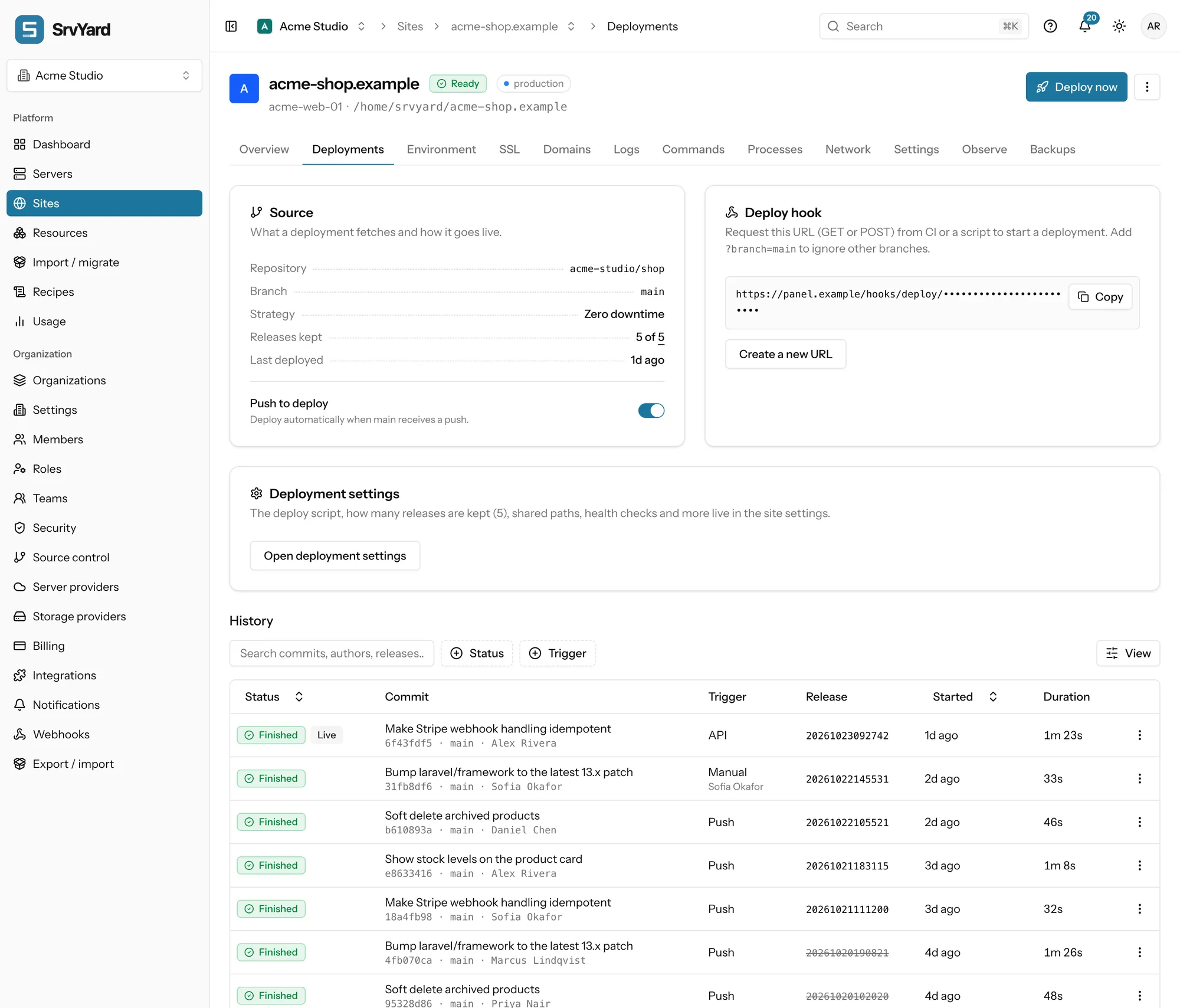
Roll back to this
Offered on any finished release that is still on the server, on a zero-downtime site. It repoints current and reloads PHP-FPM; there is no build, so it takes seconds.
What a rollback does not do
- It does not undo database migrations. Write migrations you can run against the old code.
- It cannot reach a release that retention removed. The row stays in the history, struck through.
- It is not available to members who may only view.
- Octane keeps the app in memory and cannot follow the switch, so it is not compatible with zero-downtime sites.
03Start a deploy from anywhere
you say when, the site says whatPush to deploy
GitHub, GitLab and Bitbucket. SrvYard registers a signed webhook on the repository; a push to the configured branch deploys it, pushes to other branches are ignored. Needs a connection with permission to manage webhooks.
Deploy hook
A secret URL per site, GET or POST, rotatable. Add ?branch=main to ignore other branches. For CI or a script, and for repositories that are not on a connected provider.
API
A scoped bearer token with sites:manage-deploys. The answer is 202 with a status_url you can poll until the deployment is final, which lets CI wait and read the result.
The button
Deploy now, on the Deployments tab. Run it once and read the log before you automate anything.
Do not turn on push to deploy and a CI step together unless you want two deployments per push.
# deploy hook: GET or POST, branch filter optional
curl -fsS "$DEPLOY_HOOK_URL?branch=main"
# start a deployment, then poll the status_url it returns
curl -X POST \
-H "Authorization: Bearer $SRV_TOKEN" \
-H "Idempotency-Key: $(uuidgen)" \
https://your-srvyard-host/api/v1/sites/<site>/deployments# .github/workflows/deploy.yml (after your tests)
- name: Deploy
run: curl -fsS "${{ secrets.DEPLOY_HOOK_URL }}?branch=main"04When it fails
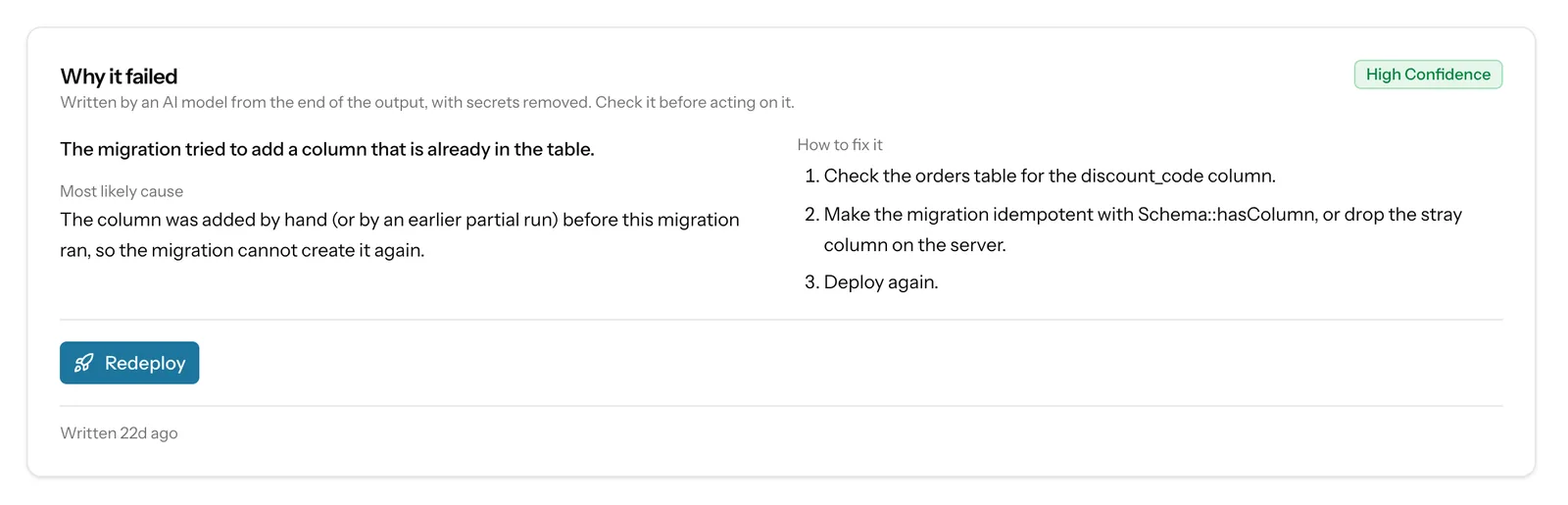
the log first, the explanation secondA failed deploy keeps its full output. Read the first error line, not the last. On Business, a Why it failed card adds a summary, a likely cause, fix steps and a confidence rating, written from the end of the output with secrets removed. It is a hint: when it and the raw log disagree, believe the log.
05Health check, retention, shared paths
Settings, Deployments| Setting | Behaviour |
|---|---|
| Health check | After the new release is live and PHP-FPM reloaded, SrvYard requests a path from the server itself (127.0.0.1 with your domain as the Host header), so it works before DNS points at the server. Up to three attempts, three seconds apart, each limited to 20 seconds. Any answer from 200 to 399 passes. A full URL is requested exactly as given. Empty means the home page. |
| After a failed check | The release stays live and the deployment is marked failed. SrvYard does not roll back automatically. A “site down” alert is sent. |
| Releases kept | A number from 1 to 50; a new site starts with 4. The live release and the one before it are never removed. A lower number takes effect at the next deployment. |
| Disk | Each release is a full copy of the app, including vendor and built assets. Multiply its size by the number you keep. |
| Shared paths | .env and storage by default, plus any path you add. They survive every release. |
| In place | The other strategy: the live folder is updated directly. Chosen when the site is created and cannot be changed later. No releases, so no rollback. |
06Plan limits
from the plan catalogueZero-downtime deploys, rollbacks, push to deploy and the deploy hook are on every plan. Hobby allows 100 deployments a month and keeps history for 7 days; paid plans are unlimited with longer history. Compare plans.
07Deployment questions
answers from the docsWhat is a zero-downtime site, and can I change it later?
Each deployment builds in a fresh folder and the site switches to it in one atomic step, so visitors never see a half-built version. It is chosen when the site is created and cannot be changed afterwards. See Deploy without downtime and roll back to an earlier release.
Does a rollback undo database changes?
No. A rollback only points the site at an earlier release. Migrations that already ran stay, and a cache or queue payload from the newer code can still cause trouble, so check those too. A rollback needs a zero-downtime site. See Deploy without downtime and roll back to an earlier release.
If a deployment fails, does my site go down?
Not if it fails before the switch. On a zero-downtime site the previous release keeps serving and the half-built one is removed. A failed health check is different: the new release is already live, so fix it or roll back. See Read a deployment log and find the failing step.
Can I deploy automatically when I push?
Yes, with push to deploy, for repositories on a connected GitHub, GitLab or Bitbucket account. SrvYard registers a signed webhook for you. A Custom Git URL has no connection to create one, so use the deploy hook instead. See Deploy automatically on every push.
How do I deploy from GitHub Actions or another CI system?
Request the secret deploy hook address with curl, or use the API with a token that has the sites:manage-deploys scope if you want to wait for the result. Do not combine either with push to deploy unless you want two deployments. See Deploy from GitHub Actions and other CI.
Can I deploy a specific older commit?
No. SrvYard always deploys the latest commit of the site's branch, and there is no commit field. To get another version live, roll back on a zero-downtime site or change the branch. The article lists the options. See Deploy now, redeploy and switch branches.
What does a deploy script do, and how long may it run?
It holds the commands run on every deployment, such as installing dependencies, building assets and migrating. SrvYard writes a sensible one for your site type and you can edit it. A script that runs longer than 780 seconds is stopped. See Write and test a deploy script.
Why were my front-end assets not built?
Usually Node or the chosen package manager is not installed on the server, or the repository has no matching lock file, because the install step is the strict kind (npm ci). Set it up on the Runtimes tab. See Build front-end assets with Vite, npm, pnpm, Yarn or Bun.
Deploy a site, then roll it back, before you trust either.
Free: 1 server, 3 sites, 100 deploys a month. Read the docs first if you prefer.