Bring your own server: one command as root, then SrvYard takes over.
A custom server is any Ubuntu machine SrvYard did not create: a VPS at a host with no integration, a box in your own rack, a droplet you started months ago. You give SrvYard the address, run one command on the machine as root to authorise its key, and SrvYard installs the stack for the server type you chose.
# the Connect your server card gives you the exact command
mkdir -p /root/.ssh
# append SrvYard’s public key to authorized_keys
chmod 700 /root/.ssh
chmod 600 /root/.ssh/authorized_keys
# SrvYard checks the login every few seconds,
# then you press Start provisioning01What you need
| Item | Detail |
|---|---|
| Machine | A fresh Ubuntu 24.04 or 26.04 LTS install with nothing else running on it, at least 1 CPU, 1 GB of memory and 10 GB of disk. |
| Root, once | You can log in as root one time (a provider web console works) to authorise SrvYard’s key. Afterwards SrvYard works as its own srvyard user and stops using root. |
| Address | The machine’s public IP and its SSH port (22 unless changed). SrvYard connects from the internet, so the provider’s firewall must let that port through. Private and reserved addresses such as 192.168.0.10 are refused. |
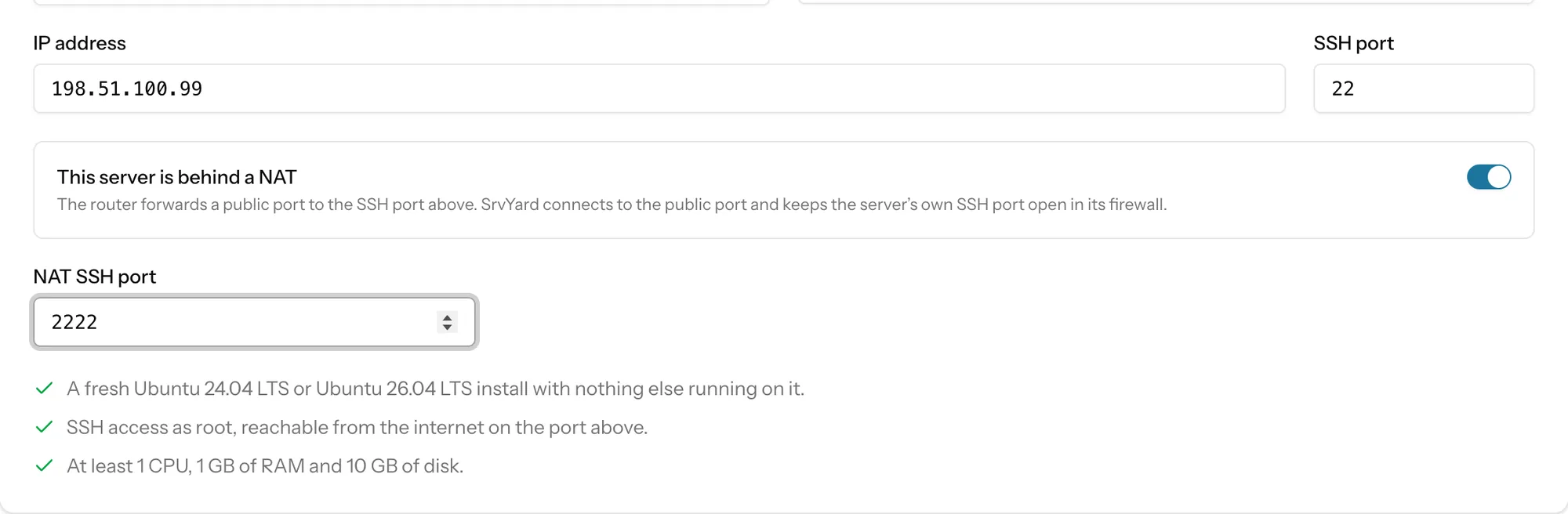
| Behind a NAT | If a router forwards a public port to the machine’s SSH port, switch on This server is behind a NAT and enter the public port. |
| Server types | The same seven as for cloud servers: app, web, load balancer, database, cache, worker, Meilisearch. The type cannot be changed afterwards. |
| Plan | Hobby 1, Pro 10, Business unlimited servers. Archived servers do not count. |
02From address to Ready
five stepsDescribe the machine
Add server, provider Custom VPS, a name, the IP address and the SSH port. An address and port can be registered only once.
Choose the type and options
Pick the type, then optionally the PHP version, extra PHP versions (up to five), database engine and version, Redis, Memcached, timezone, and whether to add your organisation SSH keys.
Authorise the key
The server page shows Awaiting access and a command. Run it as root on the machine. SrvYard tries to log in every few seconds and tells you if it cannot reach the address, if the key is not accepted yet, or if the host key changed.
Start provisioning
It installs updates and base packages, the firewall, Nginx, PHP and Composer, Supervisor, and any database or cache you asked for. A typical run takes several minutes.
Ready
The page shows resources, metrics and the server’s Git access key. Sites can be created on it.
03Screens
from the demo organisation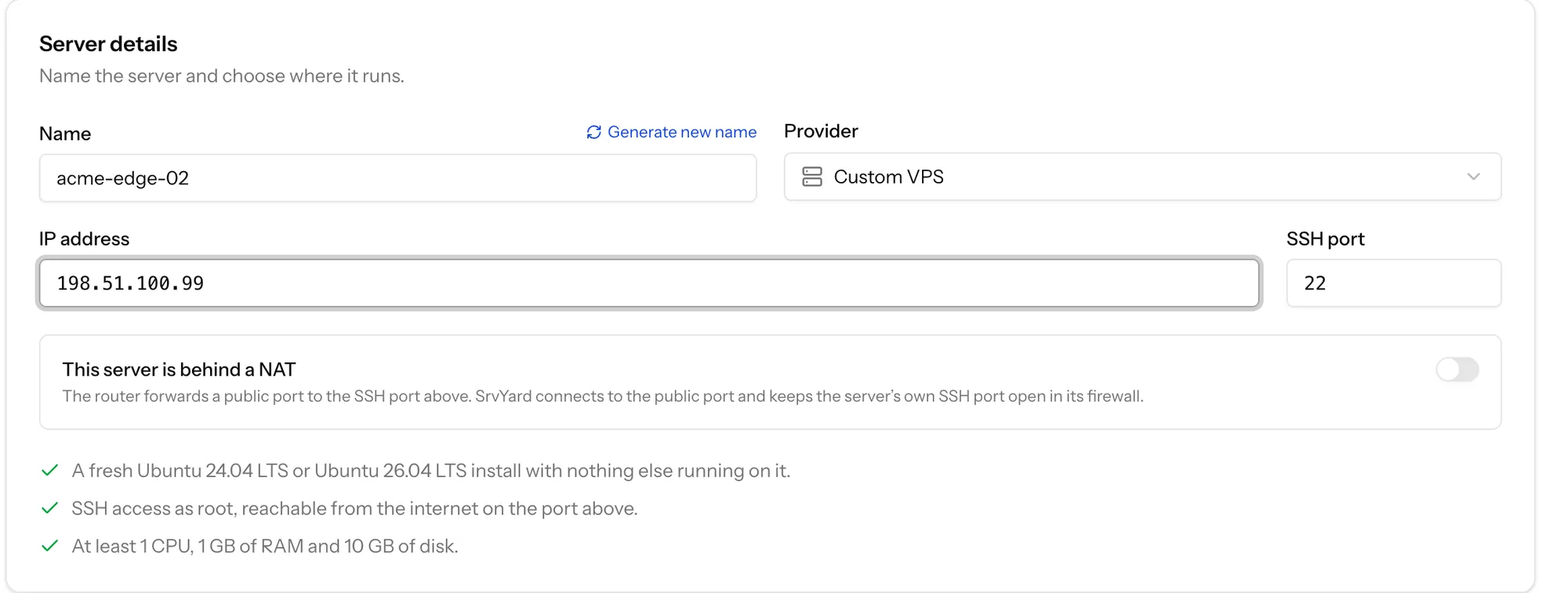
04What SrvYard does to the machine
read this before you start| Area | What happens |
|---|---|
| Users and SSH | Creates its own srvyard user, switches SSH to key-only logins for it, root by key only. |
| Firewall | Turns on ufw with SSH, HTTP (80) and HTTPS (443) open and everything else closed. |
| Updates | Enables unattended security updates. |
| Software | Installs what the server type needs. |
05Limits
so you can rule it out early- SrvYard cannot create, snapshot or destroy the machine: it has no provider API. Snapshots are taken at your provider; the Snapshots section says so for a custom server.
- A restart runs from inside the server over SSH.
- Ubuntu 24.04 and 26.04 only: no Debian, no other distributions, no Windows.
- Deleting a custom server in SrvYard forgets it; the machine is not touched.
If SrvYard can no longer log in, the server becomes Disconnected and the page lists the usual causes (machine off or resized, address changed, key removed, firewall, .ssh permissions) and the commands that put the key back.
The full walk-through is Connect an existing server in the docs.
06Questions
answers from the docsDo I need to give SrvYard my root password?
No. You run one command as root on the machine to authorise SrvYard's key, and SrvYard then works as its own srvyard user. See Connect an existing server.
Can I connect a server that already hosts sites?
Provisioning can overwrite its configuration: Nginx, PHP, the firewall and SSH settings are replaced. Use a clean machine where you can. For a machine that already hosts sites, read Adopt a site that is already on your server first.
Why is my private IP address refused?
SrvYard connects from the internet, so private and reserved addresses are refused. Use the public address, or forward a public port and switch on This server is behind a NAT.
Add a server you already rent and deploy the first site.
Free: 1 server, 3 sites, 100 deploys a month. Read the docs first if you prefer.